

This is a brief description of the content for use by other macros.
Note: For proper operation, install and run PV MassSpec using a Windows Administrator account.
|
1 |
Download the software from PV Cloud. Link: https://cloud.pfeiffer-vacuum.de/index.php/s/3vtCG6e6x7BqRps Password: PrismaPro |
|
2 |
Open the root folder and locate: PVMassSpec_Installer.exe |
|
3 |
Move PVMassSpec_Installer.exe file to a location on the C:\ drive of the computer. |
|
4 |
Double click the C:\ drive installer.exe file to begin installation. |
|
5 |
Specify the ParentPath of the installation directory. The default parent path is C:. For a ParentPath that is not the default, the installer creates a Directory Junction named C:\Pfeiffer Vacuum that will point to the ParentPath\Pfeffer Vacuum location and will install the program to the Directory Junction. Click Next to continue. 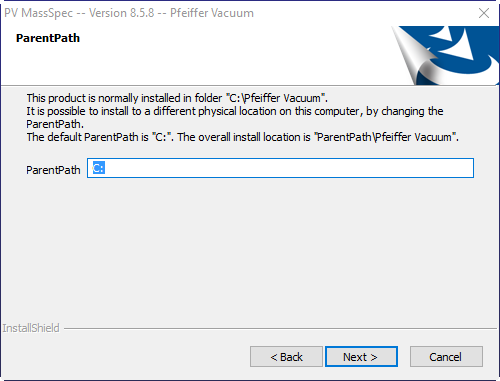
|
|
6 |
The InstallShield Wizard will open. Click Next to continue. 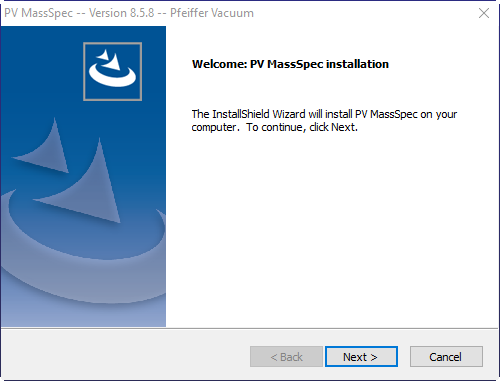
|
|
7 |
Read the License Agreement. If the license agreement terms are acceptable, click Yes to continue. 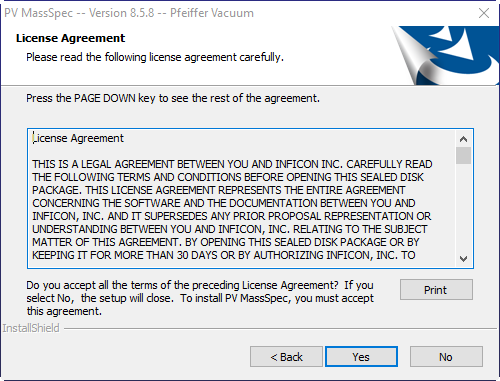
|
|
8 |
Enter a user name and company. Click Next to install PV MassSpec. 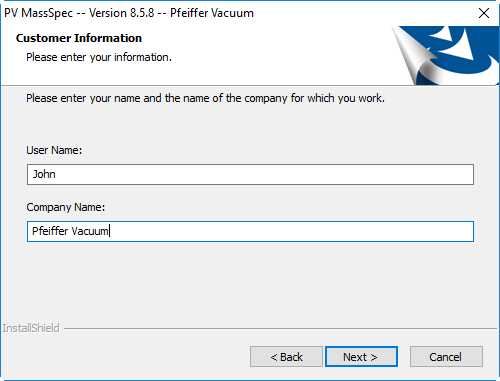
|